

#Description
It’s been a while since I’ve seen a Volatility challenge.
#Initial Analysis
First, let’s identify the provided file.
file challenge.vmem
challenge.vmem: Windows Event Trace Log
Although file reports it as a Windows Event Trace Log, Volatility is still able to parse it correctly.
Running windows.info confirms that this is a Windows 10 x64 memory image.
vol -f challenge.vmem windows.info
Output (trimmed):
Kernel Base        0xf8000d800000
DTB                0x1ad000
Major/Minor        15.19041
MachineType        34404
SystemTime         2026-05-14 18:11:59+00:00
NtSystemRoot       C:\Windows
...
#Process Enumeration
The next step is to enumerate the running processes.
vol -f challenge.vmem windows.pslist
Among the running processes, mstsc.exe immediately caught my attention because it is the Microsoft Remote Desktop client. Since RDP often stores the remote desktop framebuffer in process memory, dumping it was the most promising approach.
1980 804 mstsc.exe 0xa1897ee82080 ...
mstsc.exe is the Microsoft Remote Desktop client, indicating that the user established an RDP session.
#Dumping the RDP Process
To extract the memory belonging to the RDP client, dump its memory mappings using memmap.
vol -f challenge.vmem windows.memmap --pid 1980 --dump -o dump/
This produces one or more raw memory dump files.
#Recovering the Screen
The dumped memory does not contain a standard image format. Instead, it stores raw pixel data, so we need to import it manually as a raw image.
Open the dumped file in GIMP as a raw image (File → Open As Layers or Open → Select File Type → Raw image data, depending on the version).
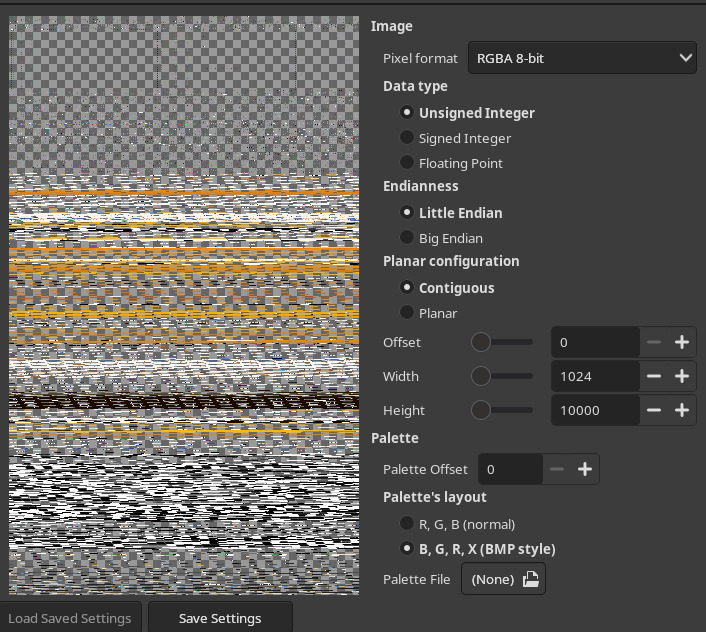
Since the dump contains raw pixel data, GIMP will ask for the image dimensions.
The only challenge here is finding the correct width and height. There are only a handful of common screen resolutions, so trying a few combinations quickly reveals the correct image.
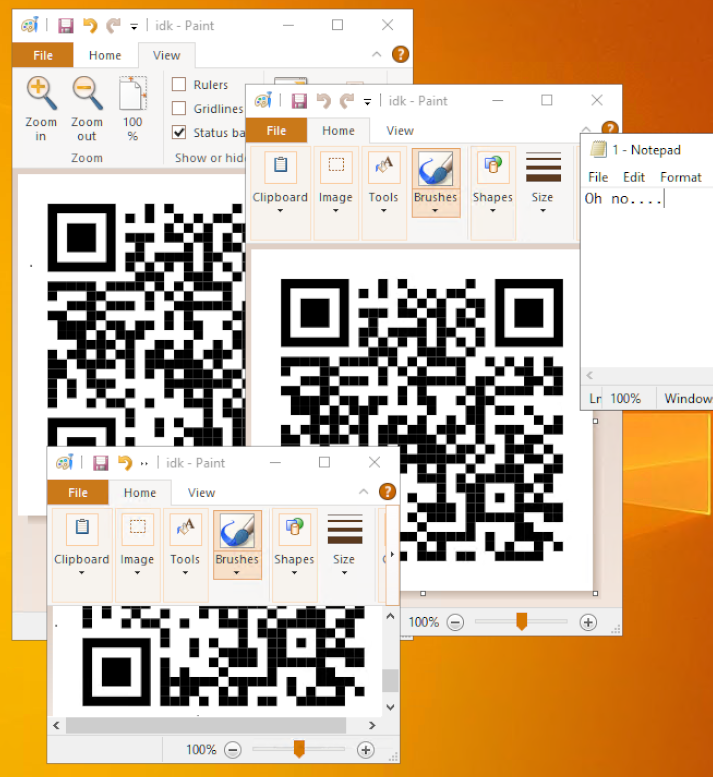
Once the correct dimensions are selected, the RDP desktop becomes visible.
#Recovering the QR Code
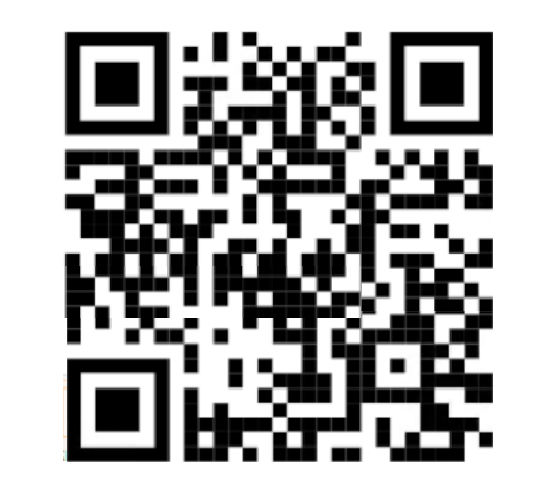
The recovered desktop contains a partially visible QR code.
Since only a small portion of the QR code is missing, it can be reconstructed manually in any image editor before scanning it.
The decoded QR code contains the flag.
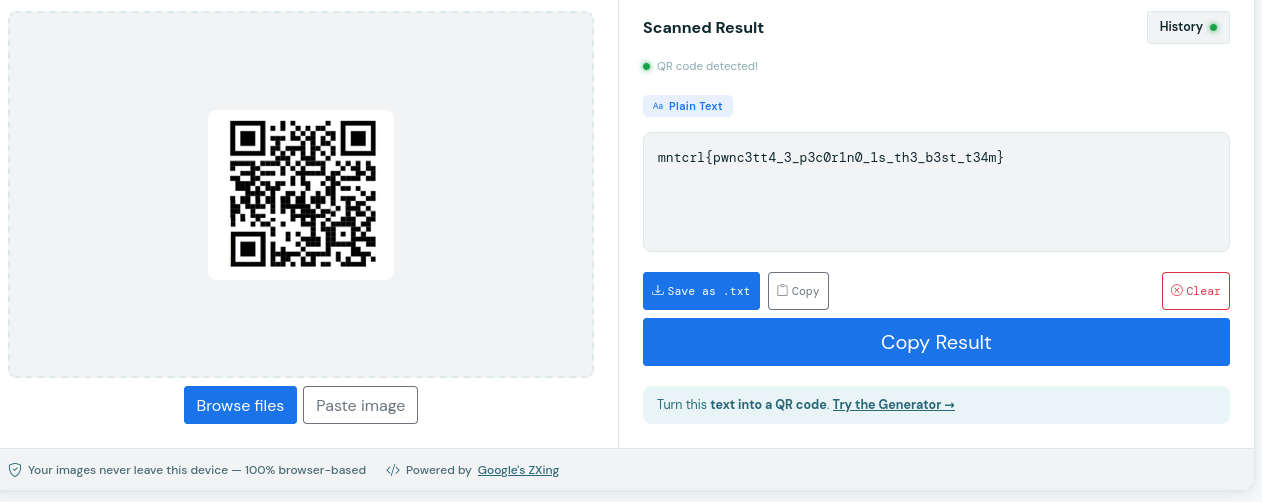
mntcrl{pwnc3tt4_3_p3c0r1n0_1s_th3_b3st_t34m}
~ Carbo